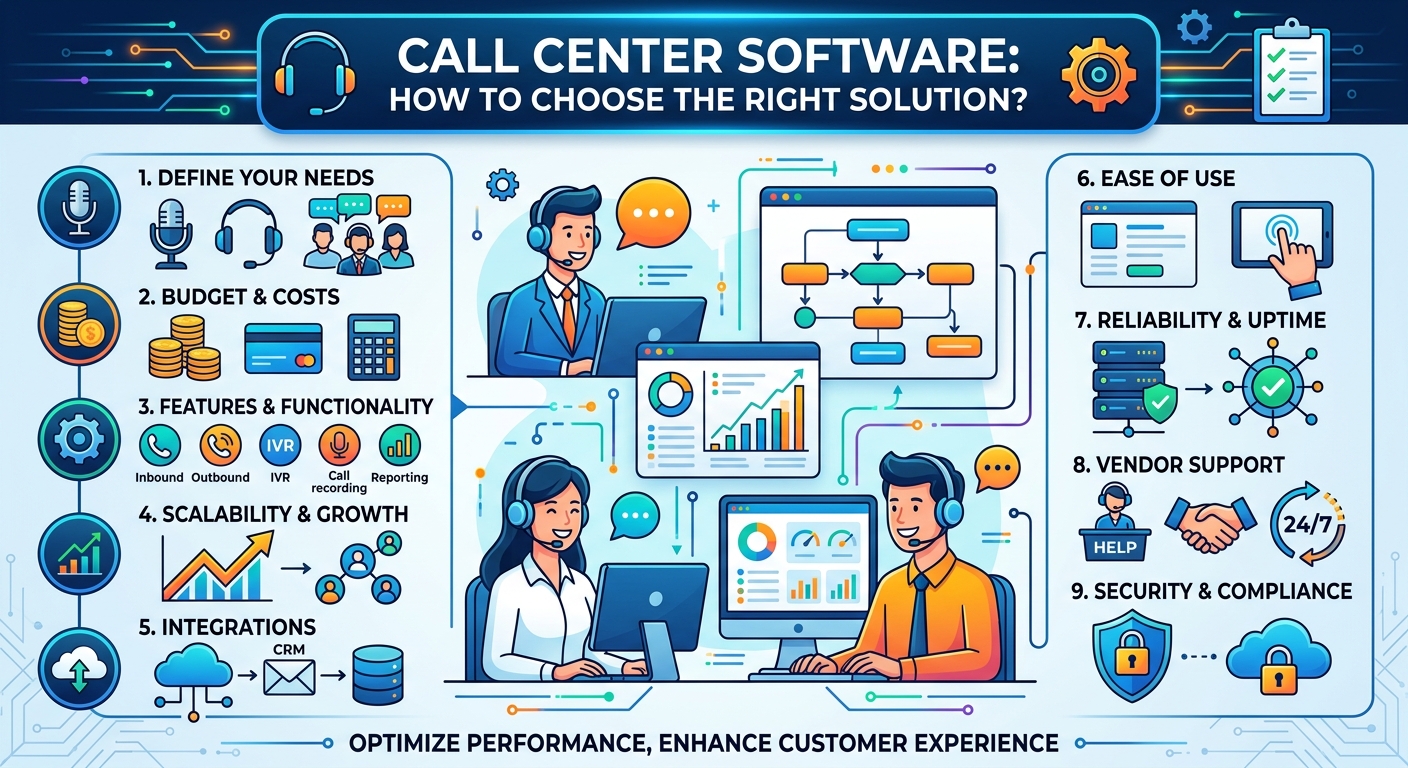
Choosing call center software is one of those decisions that looks like a procurement exercise and turns out to be an operational one. The demo always goes well. Every vendor shows a clean agent console, a drag-and-drop flow builder and a dashboard full of green numbers. Six months after signing, the questions are different: why does the wrap-up time keep creeping up, why can’t supervisors see the queue in real time, why does it take three weeks and a change request to add a new opening-hours rule?
The gap between the demo and the daily reality is where most of the value — or the regret — lives. This guide walks through the criteria that actually separate solutions once they are in production, and how to structure a selection process that surfaces those differences before you commit.
Start with the conversations you already handle
Before comparing platforms, spend a week describing your own traffic in plain numbers. How many contacts per day, per channel? What proportion are simple and repetitive versus complex and emotional? What are your peaks — a Monday morning peak, a seasonal surge, a product launch that triples volume for 48 hours? Which contacts require an agent to open a second system to answer? That last question is usually the most revealing. Vendors such as Odigo and other European CCaaS providers structure their platforms around interaction orchestration precisely because the bottleneck in most contact centers is not the phone system — it is everything the agent has to do around the call. A solution that cuts twenty seconds of manual lookup from every interaction will beat one with a longer feature list.
This inventory becomes your evaluation baseline. Instead of asking “does it support callback?”, you ask “can it handle 400 inbound calls in a 90-minute peak with an offered callback that respects our SLA, and can a team leader change that threshold without raising a ticket?” Vendors answer the first question identically. They answer the second one very differently.
Cloud, on-premise or hybrid
Most new deployments are cloud-based, and for good reason: no hardware refresh cycle, updates delivered continuously, capacity that flexes with demand, and remote or hybrid agents supported by default rather than by VPN gymnastics. Contact Center as a Service (CCaaS) shifts maintenance to the provider and turns a capital project into an operating subscription.
That said, “cloud” is not one thing. Ask where the platform is hosted, whether the media path for voice stays within a region, and what the disaster recovery model actually looks like — active-active across data centers, or a failover that requires a phone call to support at three in the morning. Ask for the contractual availability figure and, more importantly, for the definition of downtime behind it. A 99.9% SLA that excludes planned maintenance windows and partial degradations is a weaker promise than it appears.
Hybrid still makes sense in some regulated or heavily customized environments, particularly where a legacy on-premise switch handles specific traffic. If that is your situation, treat the migration path as a selection criterion in itself: can you move site by site, or is it all at once?
Channel coverage, and what “omnichannel” really means
Almost every vendor claims omnichannel support. The word has been diluted to the point of uselessness, so test it concretely. A truly unified platform routes voice, email, web chat, WhatsApp, SMS, social messaging and in-app conversations through the same routing engine, into the same agent console, with a single contact history and a single set of reports.
The counterfeit version is a collection of acquired products stitched together behind a shared login. The symptoms are easy to spot in a demo if you look for them: separate reporting tools per channel, a customer’s chat history that does not appear when they call back ten minutes later, and skills or availability managed twice. Ask the vendor to show one customer moving from chat to phone, and watch whether the agent sees the earlier exchange without switching tabs.
Also check what happens when you need to add a channel that does not exist yet. Two years ago few briefs mentioned WhatsApp. Ask how a new channel gets added — a platform update, a configuration option, or a project?
Routing and automation: where the savings are
Routing is the intelligence of a contact center. Basic solutions route by queue and skill. Stronger platforms route on context: who the customer is, what they were doing on your website thirty seconds ago, their contract value, their previous interaction, their predicted intent from what they said in the voicebot.
Automation deserves the same scrutiny. Self-service is not about deflecting contacts at any cost — a bot that frustrates people simply moves the contact to a later, angry call. The realistic goal is to fully resolve genuinely simple requests (order status, opening hours, password reset, appointment change) and to pre-qualify everything else so the agent starts the conversation already knowing the context.
When AI features come up, and they will, push past the marketing. Useful questions: which languages are supported at production quality, not just on the roadmap? Does live transcription work on your actual audio quality? Is automatic summarization written into the CRM record, or does the agent still copy and paste? Can a supervisor see and correct what the AI is doing, or is it a black box? And how is it priced — bundled, per interaction, per minute?
The agent’s screen matters more than the admin’s
Agents spend their entire working day in this interface. A console that requires four clicks to transfer a call, or that hides customer history behind a tab, costs you seconds on every interaction and morale over every month. Multiply twenty wasted seconds by 500 daily contacts and you have roughly three hours of lost capacity per day.
Involve agents and team leaders in the evaluation, not just IT and procurement. Give two or three experienced agents a sandbox and a list of realistic tasks: handle a call, transfer it with context to a colleague, look up a previous interaction, log an outcome, take a chat while the call wraps up. Their reaction after an hour is worth more than any scorecard.
Integrations and openness
Your call center software will never be the only system in the room. It has to talk to your CRM, your ticketing tool, your order management system, your identity provider, your workforce management tool and possibly a data warehouse.
Distinguish between three levels: a native, vendor-maintained connector for your CRM; has documented public API; and “we can build that for you in a project”. The first is what you want for your core systems. The second determines what you can do independently over the next five years. The third is a cost line that never appears in the initial quote.
Ask specifically about the API: is it REST, is it fully documented and publicly accessible, is it versioned, are there rate limits, and are webhooks available for real-time events? A vendor that is comfortable showing you the developer documentation before a contract is signed is telling you something reassuring.
Reporting, quality and workforce management
Real-time supervision and historical reporting are not the same requirement, and both matter. Supervisors need a live view — queues, agent states, service level against target — with the ability to intervene. Managers need historical analysis: volumes by channel and time slot, average handling time, first contact resolution, CSAT, abandonment.
Two questions separate serious platforms. First, can you build your own reports and dashboards, or are you restricted to a fixed set? Second, can raw interaction data be exported to your own BI environment? Sooner or later someone will want to cross contact center data with sales or churn data, and if the platform cannot export cleanly you will be stuck.
Quality monitoring and workforce management are sometimes native, sometimes partner modules, sometimes absent. If forecasting and scheduling are currently done in a spreadsheet, a native WFM module can be transformative — but confirm it is genuinely integrated rather than a rebadged third-party tool with a weekly file transfer.
Security, compliance and data residency
Contact centers handle personal data, sometimes health or payment data, and recordings of conversations. Non-negotiables: encryption in transit and at rest, granular role-based access control, full audit logs, and configurable retention policies for recordings and transcripts.
Ask for the certifications — ISO 27001 as a baseline, ISO 9001, PCI DSS if you take card payments by phone, plus any sector-specific accreditation such as health data hosting. Under GDPR, establish where data is stored and processed, who the sub-processors are, and whether any of them fall under non-European jurisdiction. For public sector organizations and regulated industries in Europe, data sovereignty has moved from a nice-to-have to a shortlist filter.
Cost: look at five years, not at the monthly license
Per-agent pricing is the visible part of the iceberg. Build a five-year total cost of ownership that includes telecom minutes (and whether voice is bundled or billed separately), implementation and integration work, training, AI or analytics modules priced on usage, the cost of each change request, and the price of competitor versus named licenses if you run shifts.
Then examine the contract itself: term length, price indexation, what happens if your volumes fall as well as rise, and — critically — reversibility. Can you export your configuration, recordings and interaction history in a usable format if you leave? Ask the question during the negotiation, when you still have leverage.
Running the selection properly
A pragmatic process: write your requirements from the traffic inventory rather than from a template; shortlist three or four vendors that fit your size and sector; insist on a scripted demo using your scenarios instead of theirs; run a proof of concept with real agents on real traffic for two to four weeks; and call two reference customers of comparable size — ideally ones you find yourself, not only the ones supplied.
In those reference calls, ask what went wrong during deployment and how the vendor responded. Every implementation has problems. What you are assessing is the response.
The decision
The best call center software is not the one with the longest feature list. It is the one your agents handle comfortably, your team leaders can adjust without waiting on IT, your architecture can integrate cleanly, and your finance team can budget for over five years without surprises. Weight your evaluation accordingly: agent experience, configurability, integration, security, and the quality of the partnership — because you will be living with this decision far longer than the sales cycle that produced it.