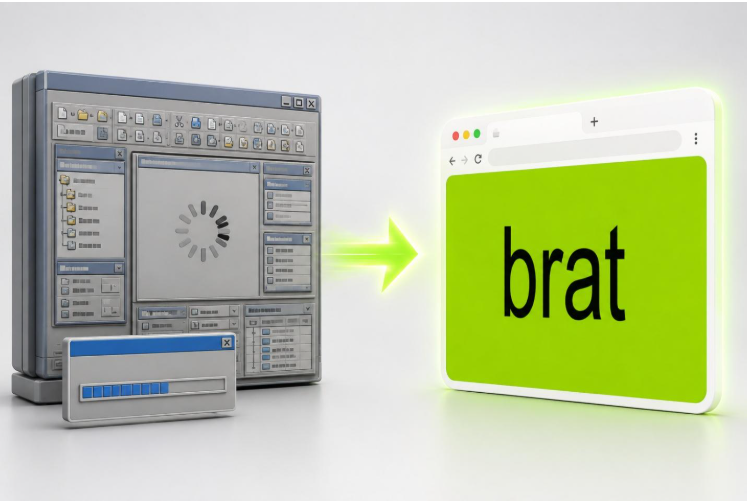
A few years ago, if you needed a quick graphic – a birthday post, a meme, a styled bit of text for a status update – the default move was to open whatever design software you already had installed, or download something new for the job. Neither option was fast. Photoshop is overkill for one line of text. A free alternative usually meant an account, a tutorial, and ten minutes you didn’t plan on spending.
That friction is quietly disappearing, and the reason says something about how software in general is heading: away from installed applications and toward narrow, focused tools that live entirely in a browser tab, do one thing well, and ask nothing of you before you use them.
The Old Model Was Built for the Wrong Job
General-purpose design software is genuinely powerful, which is exactly the problem for a task that only needs a fraction of that power. Opening a full application to type one word in one font on one background color is like renting a moving truck to carry a backpack. The tool isn’t wrong – it’s just aimed at a much bigger job than the one in front of you.
Most of the friction people associate with “making something quickly” isn’t the creative decision at all – it’s the setup. Choosing a canvas size, finding the right font in a long list, mixing a color that should have been a known value from the start. None of that is creative work. It’s overhead, and it’s exactly the part a narrow, dedicated tool can strip out entirely by making the decisions for you as sensible defaults.
A Small Case Study: The Brat Aesthetic
The clearest recent example of this shift is the visual style that spread from Charli XCX’s 2024 album cover – a specific lime-green background paired with lowercase, slightly blurred text. It became one of the most widely recreated visual trends online, and the reason it spread as fast as it did wasn’t the design itself. It was that a free browser-based generator existed that already had the correct color and the correct font set as defaults, with the blurred, distorted look available as a single one-click preset instead of something to recreate by hand. Anyone could produce a convincing result in under a minute without knowing anything about design, because every decision that would normally require expertise had already been made correctly for them.
That’s the actual mechanism to notice, separate from the trend itself. A general design tool could technically produce the same image, but only after the user did the research to find the right hex code and the right font family first. A narrow, dedicated tool skips that research step entirely by encoding the correct answer into the default settings.
This Pattern Shows Up Everywhere Once You Look
The brat generator is one visible example, but the same pattern is quietly showing up across a lot of unrelated categories: resume formatters built for one layout instead of a full word processor, one-click background removers instead of a photo editor’s selection tools, dedicated color-contrast checkers instead of manually calculating a ratio. In every case, the appeal isn’t more features – it’s fewer decisions standing between the user and a finished result.
This matters more for casual creators and small businesses than for professional designers, and that distinction is worth spelling out. A professional with real design training benefits from a flexible, powerful tool because they already know what settings they want. A casual user – someone posting on social media, running a small shop’s Instagram, or just making something for a friend – benefits far more from a tool that already knows the right answer, because they were never going to look up the correct settings themselves.
Where the Format Still Has Real Limits
None of this means general design software is going away, and it’s fair to be honest about where narrow, single-task tools stop being the better option. The moment a project needs multiple layers, precise manual control, or a result that has to match an existing brand exactly rather than a recognizable style, a generator like this runs out of road fast – it was built to do one thing well, not everything adequately.
The dividing line is usually simple: if the task is “make something in this recognizable style, quickly,” a focused tool wins. If the task is “build a specific, original design from scratch with exact control over every element,” that’s still a job for full design software. A color code reference is a good small example of the difference – a dedicated tool can bake the right value in as a default, but a designer working on something original still needs to look up and apply exact values deliberately, because there’s no “correct” answer being encoded for them.
Why This Took So Long to Show Up
It’s fair to ask why tools like this took this long to become common, since none of the underlying technology is new – in-browser canvas rendering and client-side image export have both worked reliably for well over a decade. The real answer is less about technology and more about incentive: a tool that does exactly one thing for free doesn’t obviously make money on its own, so nobody had much reason to build one until a specific trend made the traffic worth it, through ad revenue or simple goodwill toward a recognizable brand.
What changed is the speed at which trends now move. A visual style can go from a single album cover to a mass, recognizable internet aesthetic in a matter of days once social platforms pick it up, and that compressed timeline is exactly what makes a narrow, no-signup tool worth building fast – there’s no time to plan a broader product roadmap around a moment that might be over in a few weeks. A decade ago, a slower-moving trend cycle simply didn’t create that kind of urgency, so building a full, flexible product made more sense than building something disposable and narrow.
What Casual Users Should Take Away From This
For anyone who isn’t a designer and just needs something made quickly, the practical lesson is simple: before opening a full application or downloading anything, check whether a small, focused browser tool already exists for exactly that task. The search cost is a few seconds; the alternative is often ten minutes of setup for a result the dedicated tool would have produced correctly by default. That small habit change – checking for the narrow tool first – is itself a sign of how much this corner of software has changed in a short amount of time.
The Bigger Shift
What the brat generator trend really demonstrates isn’t a design story – it’s a software distribution story. A tool that requires no download, no account, and no configuration removes almost every point where a casual user would have given up and gone looking for something simpler. That’s a lesson application developers outside the design space have started applying too: the fewer decisions a first-time user has to make correctly on their own, the more likely they are to actually finish the task.
As more single-purpose browser tools show up for narrower and narrower tasks, the pattern is likely to keep repeating: not replacing full software, but taking over the large share of everyday tasks that never needed it in the first place.