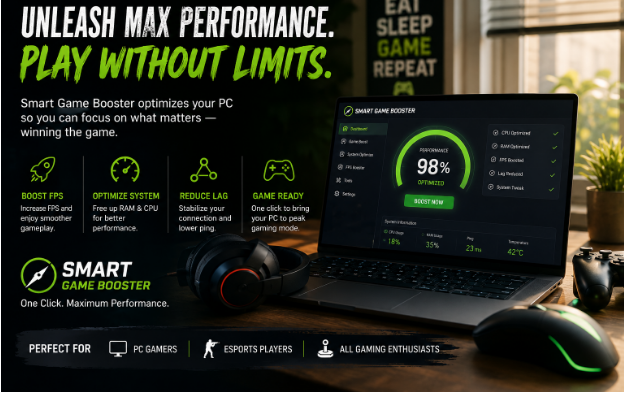
PC gaming has changed significantly over the years. Games are becoming larger, more detailed, and more demanding, while gamers expect smooth gameplay with stable frame rates. Unfortunately, not everyone has access to a high-end gaming PC. Even a reasonably powerful computer can sometimes experience frame drops, stuttering, slow loading, or other performance problems.
The good news is that improving gaming performance does not always mean buying expensive hardware. With the right settings and system optimization, gamers can often make better use of the hardware they already have. This is where a powerful Game Booster, such as Smart Game Booster can be useful.
Why Do PC Games Sometimes Run Slowly?
There can be several reasons behind poor gaming performance. A game may require more processing power than the computer can provide, or background applications may be using valuable CPU and RAM resources.
Outdated drivers can also create compatibility and performance issues. In addition, unnecessary startup programs, high graphics settings, limited memory, and excessive system temperatures can affect the overall gaming experience.
Network problems are another concern for online players. High ping or an unstable connection can cause delays even when the computer itself is performing well. Therefore, improving the gaming experience requires attention to both system performance and game configuration.
What Is a Smart Game Booster?
Smart Game Booster is designed to help PC gamers optimize their systems for gaming. Instead of requiring users to manually search through different Windows settings, the software provides tools aimed at making gaming preparation easier.
For gamers who regularly switch between different games, having a dedicated optimization utility can save time. The idea is simple: reduce unnecessary interference from the system and allow the computer to focus more effectively on the game being played.
This can be particularly helpful for users who have older or mid-range computers and want to get the best possible experience from their existing hardware.
Optimize Your PC Before Starting a Game
One of the easiest ways to improve gaming performance is to reduce unnecessary background activity. Applications such as web browsers, file synchronization programs, media players, and other utilities can consume system resources while a game is running.
Smart Game Booster can help gamers manage these resources more conveniently. It can one‑click clear background resource-hogging apps, free up RAM, and suppress redundant system processes to prepare your machine for gameplay. By optimizing the gaming environment before launching a title, users can potentially reduce unnecessary CPU and memory usage.
The exact improvement will naturally depend on the computer and the game. A software optimizer cannot replace a powerful graphics card or processor, but it can help users make more efficient use of the resources available on their system.
How an FPS Booster Delivers a Smoother In‑Game Experience
Frames per second, commonly known as FPS, is one of the most important aspects of PC gaming. A higher and more stable frame rate generally makes movement feel smoother and controls more responsive.
Some games can suffer from sudden FPS drops because of background processes, demanding graphics settings, or limited hardware resources. Optimizing the system can help reduce some of these unnecessary performance demands.
As an FPS Booster, Smart Game Booster can be useful for gamers looking specifically to improve their frame‑rate experience. Rather than relying on a single setting, performance optimization works best when combined with sensible graphics options, updated drivers, and proper system maintenance.
Gamers should also remember that FPS improvements vary from one PC to another. Hardware specifications, game engines, resolution, and graphics settings all play an important role. Many gamers turn to an FPS booster to cut down random stutters without tinkering with dozens of advanced Windows settings.
Smart Game Booster for Different Types of Gamers
Not every gamer has the same requirements. Competitive players may prioritize responsiveness and stable FPS, while casual gamers may simply want fewer interruptions and smoother gameplay.
Laptop users can also benefit from paying attention to optimization because many laptops have limited cooling and power compared with desktop gaming systems. Keeping unnecessary applications under control can be especially useful when system resources are limited.
For players who regularly install and play different PC games, a centralized gaming optimization tool can also make system preparation more convenient.
Other Ways to Improve Gaming Performance
Although optimization software can help, gamers should not ignore basic PC maintenance. Updating graphics drivers is important because manufacturers regularly release improvements and compatibility fixes.
Graphics settings should also match the capabilities of the hardware. Lowering demanding options such as shadows, reflections, and anti-aliasing can sometimes provide a noticeable FPS improvement without making the game look significantly worse.
Keeping the computer properly ventilated is equally important. Dust buildup and blocked air vents can increase temperatures, while excessive heat may cause components to reduce their performance.
Finally, gamers should close applications they do not need during a gaming session. A cleaner system environment means more resources can be available for the game.
Is a Game Optimization Tool Worth Using?
For gamers who frequently experience performance issues, a dedicated optimization tool can be a convenient addition to their PC setup. Smart Game Booster focuses on making gaming optimization easier instead of forcing users to manually adjust numerous settings every time they want to play.
It is particularly worth considering for users who want to improve the consistency of their gaming experience without immediately investing in new hardware.
However, expectations should remain realistic. Software optimization cannot turn an entry-level PC into a high-end gaming machine. Its value comes from helping users manage their existing resources more effectively.
Final Thoughts
A smooth gaming experience depends on more than just having an expensive graphics card. Drivers, background applications, system temperatures, graphics settings, and available resources can all influence how a game performs.
Smart Game Booster provides a convenient approach for gamers who want to optimize their PCs before playing. Whether the goal is better FPS, fewer interruptions, or simply a more organized gaming setup, using a dedicated optimization solution can make the process easier.
Combined with sensible graphics settings, regular driver updates, proper cooling, and good PC maintenance, a gaming optimization tool can help players get more out of the hardware they already own.