Every time a developer sends a prompt to a commercial AI API, that data leaves their machine and lands on someone else’s servers. For hobby projects this might not matter much, but for anyone working with proprietary code, client data, or personal notes, it raises a real question: why hand over control when there’s another way? This is exactly why interest in running an open source LLM locally has grown so quickly. Instead of routing every request through a third party, developers can now load capable language models directly onto their own hardware, keeping prompts, outputs, and fine-tuning data entirely under their own roof.
This shift isn’t just about paranoia over data leaks. It’s about ownership, cost control, and the freedom to experiment without usage limits or unexpected bills. The rest of this article walks through what’s driving this trend, how to actually get a local model running, and what to expect once it becomes part of a daily workflow.
The Rising Demand for Local Language Models
A few years ago, running a capable language model meant renting GPU time from a cloud provider or paying per-token fees to an API vendor. That math worked fine for occasional use, but for developers iterating dozens of times a day, the costs and latency added up fast. Local inference changes the equation entirely. Once a model is downloaded, there’s no metered billing and no round trip to a remote server, which means faster responses and predictable costs regardless of how heavily the model gets used.
Privacy is the other major driver. Many developers work with information they simply can’t send to an external API, whether it’s unreleased source code, internal documentation, or personal journals they want summarized. Running an open source LLM on hardware they control means that information never has to leave the building. For teams handling regulated data, this isn’t a nice-to-have, it’s often a requirement.
Who Benefits Most
Independent developers and small teams tend to feel this shift most directly, since they’re often the ones juggling tight budgets alongside strict client confidentiality expectations. Researchers experimenting with fine-tuning also gravitate toward local setups, since they need to inspect and modify model behavior in ways that closed APIs simply don’t allow.
Setting Up Your First Open Source LLM Environment
Getting started is far less intimidating than it used to be. Most modern tooling handles model downloading, quantization, and serving through a single command, so there’s no need to manually configure inference frameworks from scratch. The typical starting point involves installing a runtime, pulling a pre-trained model in a compressed format suited to available RAM or VRAM, and then sending it prompts through a simple local API or command line interface.
Hardware requirements vary widely depending on model size. Smaller models in the 3 to 8 billion parameter range run comfortably on a modern laptop with 16GB of memory, while larger models benefit from a dedicated GPU. The good news is that quantized versions of popular models have made it possible to get reasonable performance even on consumer-grade machines, which lowers the barrier to entry significantly.
Choosing the Right Model Size
Rather than jumping straight to the largest available model, it’s worth starting small and testing whether the output quality meets the task at hand. Many coding and summarization tasks work perfectly well with mid-sized models, reserving the heavier options for cases that genuinely need deeper reasoning.
Overcoming Common Hardware and Performance Concerns
The most frequent hesitation around local models is performance. It’s true that a locally hosted model won’t always match the raw speed of a data center running specialized accelerators. But the gap has narrowed considerably, and for most day-to-day tasks like drafting code, answering questions, or summarizing documents, the difference is barely noticeable once a properly quantized model is matched to the right hardware.
Memory management is the other practical concern. Running a model alongside a full development environment can strain a machine with limited RAM. The solution usually involves either choosing a smaller quantized model or dedicating a separate machine or home server purely to inference, which keeps the local workstation free for other tasks while the model runs independently in the background.
Integrating Open Source LLMs into Daily Workflows
Once a model is running reliably, the real value shows up in how it gets woven into existing habits. Many developers connect their local model to code editors for inline suggestions, use it to draft commit messages, or route internal documentation questions through it instead of searching scattered wikis. Because there’s no per-request cost, it becomes practical to lean on the model constantly rather than rationing queries.
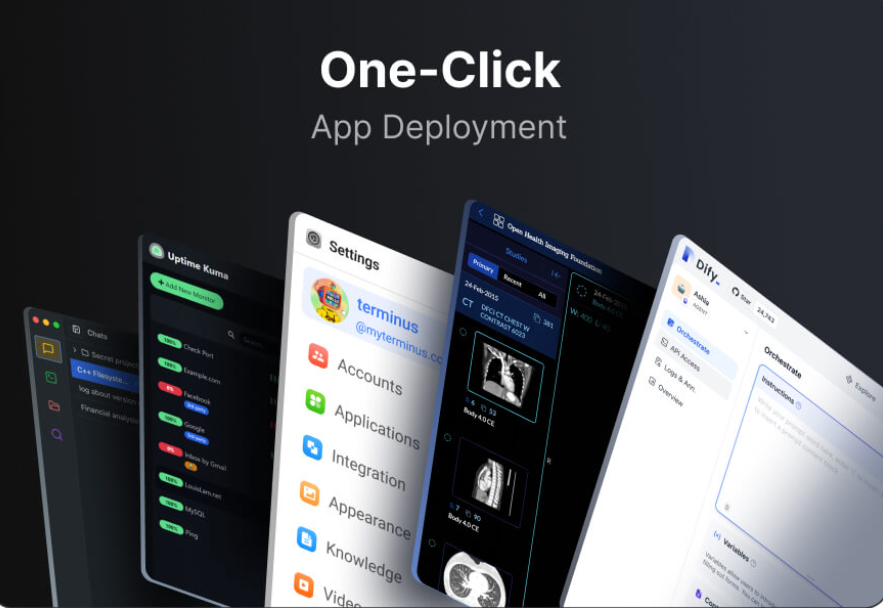
Setting this up at home has also gotten simpler thanks to private cloud platforms like Olares, which package model hosting, storage, and access management into a single self-hosted environment. Instead of assembling separate tools for serving, storage, and remote access, everything lives together, and the model stays reachable from any device without ever routing traffic through an outside company’s infrastructure.
Taking Ownership of Your AI Workflow
The move toward open source language models isn’t a rejection of AI, it’s a recalibration of who controls the data flowing through it. Developers who value predictable costs, faster iteration, and the ability to keep sensitive work off third-party servers now have a genuinely practical path to follow. Setup has become simple enough that a single afternoon is usually all it takes to get a working model answering real prompts.
The tools are mature, the hardware requirements are more forgiving than most people expect, and the payoff in privacy and cost control is substantial. For anyone still routing every prompt through an external API, it’s worth spending an afternoon testing a local alternative to see what’s actually possible on hardware already sitting on the desk.