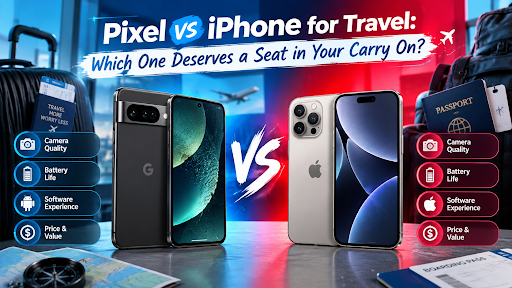
Your phone is your passport to everything on a trip. It holds your tickets and maps. It translates menus. It records the memories. So when you pack for a trip, the phone matters more than the shoes.
But which one travels better? A Pixel or an iPhone? Let’s follow a journey from start to finish and see which phone handles each stage best.
Before You Leave: Getting Connected
Good trips start with a good connection. Roaming bills can sting. So many travellers now use travel eSIMs. These are digital SIM cards you buy online and install in minutes.
Here, both phones do well. The iPhone 15 and the Pixel 7, 8 and 9 all support eSIM. You can keep your normal number on your physical SIM and add a local data plan on the eSIM.
There is one catch. The phone must be unlocked. A locked phone will refuse a foreign SIM. So if you are buying refurbished, check the unlock status first.
Winner at this stage: a tie.
At the Airport: Tickets, Cards and Power
At the airport, you tap and scroll a lot. Boarding passes. Hotel bookings. Digital wallets.
Both phones store passes and cards well. The iPhone uses Apple Wallet. The Pixel uses Google Wallet. Both work smoothly for tap-to-pay.
Charging is where travel gets easier. The iPhone 15 was Apple’s first iPhone with a USB-C port. Every Pixel uses USB-C too. That means one cable can charge your phone and your laptop and your headphones. One cable. Less clutter.
If you carry an older iPhone with a Lightning port, you will need an extra cable. That is a small but real point.
Winner at this stage: a tie, as long as you pick an iPhone 15 or newer.
In the Flight: Battery and Entertainment
Long flights drain batteries. So capacity matters.
The Pixel 9 has a 4700 mAh battery. The Pixel 8 has 4575 mAh. The Pixel 7 has 4355 mAh. Apple does not list battery size in mAh. It rates the iPhone 15 for up to 20 hours of video playback.
In real life, both last a full day of normal use. But heavy use on a long trip tells a different story. Maps, photos and video all drain power quickly.
The Pixel 9 has a slight edge with its larger battery. But always carry a small power bank.
Landing: Language and Directions
You step off the plane. Signs are in another language. Everything feels new.
Google Maps works well on both phones. You can download maps for offline use before you go. That saves data and helps when the signal drops.
Translation is where the Pixel shines. It has Live Translate built into the system. It can translate messages and text seen through the camera. Google Translate is also a free app on the iPhone. And the iPhone’s own Translate app can work offline with downloaded languages.
So both phones can help you read a menu. The Pixel just weaves it into more places.
Winner at this stage: a small win for the Pixel.
Out and About: The Camera Test
This is the part most travellers care about.
The Pixel 9 has a 48-megapixel ultrawide camera. That is great for big views like mountains and old streets. It also focuses up close for macro shots. And it has tools like Magic Editor that can help remove strangers who wandered into your photo.
The iPhone 15 has a 48-megapixel main camera and a 12-megapixel ultrawide. Its colours look natural and warm. Its video is smooth and steady. That is lovely for walking clips and sunset moments.
Night scenes? The Pixel brightens them more. The iPhone keeps a softer look.
Winner at this stage: the Pixel for photos. The iPhone for video.
When Things Get Rough: Weather and Durability
Travel is messy. Rain. Sand. Spilled drinks.
Both the iPhone 15 and the Pixel 9 have an IP68 rating. That means they can handle dust and water splashes. Still do not treat them like waterproof cameras. A case and a screen protector are cheap insurance.
Winner at this stage: a tie.
When Things Go Wrong: Lost and Found
Phones get lost. Bags get left in taxis. Plan for it before you leave.
The iPhone works with Apple’s Find My network. That helps you locate your phone and even your luggage if you use an AirTag. Android phones have Google’s own tracking network. It also helps you find your phone and compatible trackers.
Set this up before you travel. Turn on location tracking. Add a strong screen lock. And back up your photos.
There is also a money angle. If you lose a refurbished phone, the loss hurts less. That alone makes refurbished a smart travel choice for many people.
Winner at this stage: a tie.
Home Again: Backing Up Your Memories
Back home, you will want to save your photos. iPhones sync easily with iCloud. Pixels sync well with Google Photos. Both services make backups simple.
Pick the one that matches your other devices. If you already use a Mac, the iPhone fits neatly. If you use Google services, the Pixel feels natural.
So Which Phone Is Best for Travel?
Here is the honest answer. Both are excellent. The best one depends on you.
Pick the Pixel if you love photos and live translation. Pick it if you want a bigger battery and clever editing tools. It suits explorers who shoot a lot.
Pick the iPhone if you want smooth video and a familiar ecosystem. Pick it if you already own Apple gear. It suits people who like things to just work.
Check the Specs Before You Go
Want to compare new phone prices and specifications? Officeworks lists new phone pricing and specs. It is a handy place to check details about a model before you decide. Remember that Apple stopped selling the iPhone 15 new in September 2025. So check what each store currently stocks.
Then compare that with refurbished listings. Travel is expensive. A refurbished phone can leave more money for the trip itself.
Three Stamps Every Travel Phone Should Carry
Every great trip leaves stamps in a passport. A great phone purchase should carry stamps too.
The first stamp is proof of the phone itself. Trade.com.au shows real photos of the exact phone in stock. You can inspect every corner before you pay.
The second stamp is proof of testing. Each handset passes a 72-point check before it is listed. That means it has been tested well before it travels anywhere near you.
The third stamp is proof of backing. A twelve-month warranty covers you for a full year. That is long enough to cover a big trip and the return home.
Three stamps. Cleared for takeoff.
Where to Browse the Options
Ready to pick your travel companion? Browse the current range of refurbished iPhone 15 phones. Then visit Trade.com.au to explore the Pixel range. Compare battery health and condition grades. Compare prices too.
Seeing real listings side by side makes the choice easier.
A Quick Pre-Trip Phone Checklist
Before you fly, run through these simple steps.
Make sure your phone is unlocked. Install your travel eSIM. Download offline maps. Back up your photos. Turn on Find My iPhone or the Android tracking feature. Pack a USB-C cable and a power bank. And add a case and screen protector.
These small steps prevent big headaches.
Final Thoughts
So which phone is best for travel? The Pixel wins on translation, photo tools, and battery size. The iPhone wins on video and ecosystem. Both handle eSIM and USB-C, and water splashes with ease.
Think about how you travel. Do you shoot lots of photos and need translation help? Choose the Pixel. Do you film clips and live inside the Apple world? Choose the iPhone.
Whichever you pick, buy it from a seller who shows you the real phone and stands behind it. Then pack your bags and go.