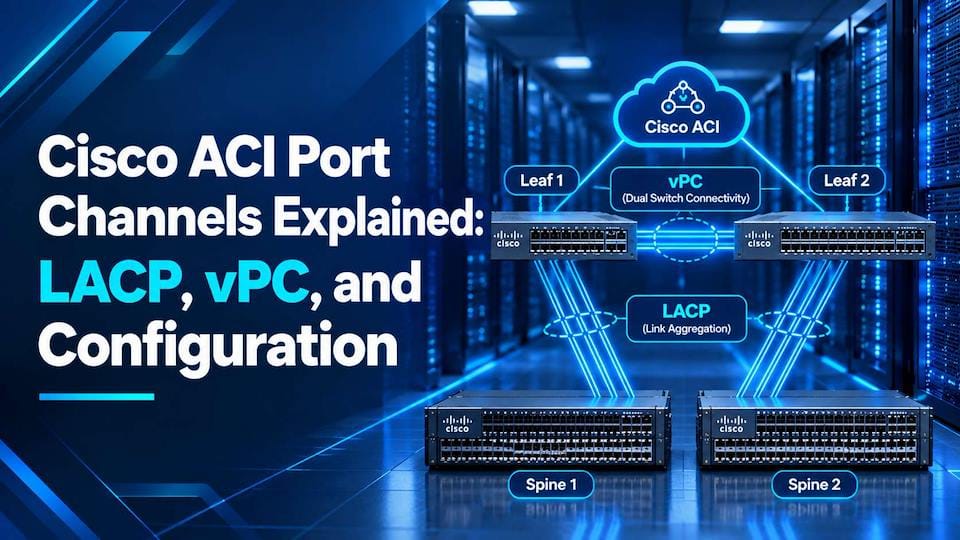
Cisco ACI Port Channels Explained: LACP, vPC, and Configuration
Port channels are one of the first concepts you meet when connecting servers, firewalls, and hypervisor hosts to a Cisco ACI fabric. A port channel combines several physical links into one logical connection, giving you more bandwidth, built-in redundancy, and simpler management. In ACI, these bundles are defined as reusable policies on the APIC controller rather than built by interface by interface. Knowing how LACP negotiates the bundle and how vPC extends it across two leaf switches is key to a reliable, scalable network.
This guide explains how port channels, LACP, and vPC work in Cisco ACI and how to configure and verify each one. Whether you are a network engineer moving from legacy NX-OS, an IT professional exploring software-defined networking, or someone who wants to do Cisco ACI Training and needs a clear starting point, the sections below break the topic into practical steps. You will also find troubleshooting scenarios and best practices that apply to real deployments.
Why Port Channels Matter in ACI?
A port channel bundles multiple physical links into one logical link. It increases bandwidth, adds redundancy, and keeps traffic flowing if a single link fails. In ACI, port channels connect leaf switches to servers, storage, firewalls, load balancers, and traditional switches.
Unlike a standalone NX-OS switch, ACI does not configure each interface by hand. You build reusable policies on the APIC controller and apply them to ports, so understanding the policy model is the key to understanding port channels.
The ACI Access Policy Model
Several objects must be linked before a port channel passes traffic:
- VLAN pool: the VLAN IDs available to the fabric.
- Domain: a physical, VMM, or external domain that ties the VLAN pool to an endpoint type.
- AAEP (Attachable Access Entity Profile): links domains to interfaces.
- Interface policies: settings such as LACP, CDP, LLDP, and link speed.
- Interface policy group: bundles the interface policies. The types are Leaf Access Port, Port Channel (PC), and Virtual Port Channel (vPC).
- Interface profile and switch profile: select which ports on which leaf switches receive the policy group.
The LACP policy is an interface policy, and the PC or vPC policy group references it. They are separate objects, which is a frequent source of confusion.
Port Channel vs. vPC
A standard port channel (PC) bundles links that terminate on one leaf switch. If that leaf fails, the connection goes down with it.
A virtual port channel (vPC) spreads links across two leaf switches that appear to the connected device as one logical switch. The connection survives the loss of either leaf.
ACI vPC differs from the NX-OS version in one important way: there is no physical peer link and no peer keepalive link. The fabric carries peer communication, and pairs are defined through an Explicit vPC Protection Group on the APIC.
| Feature | Port Channel (PC) | Virtual Port Channel (vPC) |
| Leaf switches involved | One | Two (a vPC pair) |
| Leaf failure tolerance | No | Yes, survives one leaf failure |
| Peer link/keepalive | Not applicable | Not required; the fabric carries peer traffic |
| Protection group | Not needed | Explicit vPC Protection Group |
| Policy group type | PC | vPC |
| Typical use | Single-leaf devices | Servers and switches needing leaf-level redundancy |
LACP in ACI
Link Aggregation Control Protocol (LACP) is an IEEE 802.3ad standard that lets two devices negotiate and monitor a bundle. They exchange LACP data units (LACPDUs) to confirm both ends agree on which links belong to the channel, which helps prevent one-sided or misconfigured links from black-holing traffic.
LACP policy modes
- LACP Active: the leaf initiates negotiation. This is the usual choice when the peer supports LACP.
- LACP Passive: the leaf responds but does not initiate. Two passive sides will not form a channel.
- Static Channel (Mode On): no negotiation. Links bundle without LACP’s safety checks.
- MAC Pinning: no port channel forms. Each MAC address is pinned to one uplink, which suits virtualization hosts that cannot run LACP.
- MAC Pinning—Physical NIC Load: a variation that pins traffic according to physical NIC load.
LACP control options
- Suspend Individual Port: suspends a port that receives no LACPDUs instead of leaving it as a standalone link. This is on by default.
- Graceful Convergence: keeps the bundle stable during node or link changes.
- Fast Select Hot Standby Ports: speeds up activation of standby links.
- Symmetric Hashing: keeps both directions of a flow on the same link, which matters for some firewalls and load balancers.
You can also set minimum and maximum active links. A port channel can include up to 16 links, and the minimum setting determines how many links must be active for the bundle to work.
Configuration Workflow
This sequence applies to both PC and vPC, with an extra step for vPC.
- Create a VLAN pool. Use static allocation for physical endpoints.
- Create a domain. Choose physical, VMM, or external, and attach the VLAN pool.
- Create an AAEP. Associate it with the domain.
- Create interface policies. At minimum, build the LACP policy. CDP, LLDP, and link-level policies are common additions.
- Create a PC or vPC interface policy group. Reference the AAEP and interface policies.
- Create a leaf interface profile. Add port selectors and map them to the policy group.
- Create a switch profile. Select the leaf nodes and associate the interface profile.
- For vPC only, create an explicit vPC protection group. Pair the two leaves and assign a logical pair ID.
- Deploy to an EPG. Add a static path binding to the port channel or vPC path with the encapsulation VLAN.
If the AAEP, domain, and VLAN pool are not linked correctly, the static binding raises faults, and traffic will not pass. Checking those associations is the first troubleshooting step.
You can configure all of this through the APIC GUI, the REST API (XML or JSON), or tools such as Ansible and Terraform, which help when many port channels must be built consistently.
Verification and Troubleshooting
Useful leaf CLI commands include:
- show port-channel summary
- show lacp neighbor
- show vpc and show vpc brief
In the APIC GUI, check interface and path status under Fabric > Inventory and review faults on the affected EPG and interfaces. The moquery command can pull object details from the APIC CLI.
Common problems include:
- Ports in suspended (s) or individual (I) state: often an LACP mismatch or a peer not sending LACPDUs.
- Mode mismatch: for example, one side on Static On and the other on LACP.
- Missing AAEP or domain association: the policy exists but is not linked to the interface.
- vPC peer not forming: usually a protection group or pairing issue.
- NIC teaming mismatch: the host’s teaming configuration does not match the ACI policy.
Best Practices
- Reuse policy groups across interfaces instead of creating one per port.
- Use a naming convention that reflects the device, bundle type, and LACP mode.
- Use LACP Active when the connected device supports it.
- Use MAC Pinning for virtualization hosts that cannot run LACP.
- Plan vPC pairs and avoid overlapping protection groups.
Conclusion
Port Channels, combined with LACP and vPC, give every Cisco ACI deployment a dependable way to connect servers, firewalls, and hypervisors to the fabric. When you understand the access policy model, choose the right LACP mode for each endpoint, and take advantage of vPC without a peer link, your configurations become consistent and easier to troubleshoot. A few simple habits, such as reusing policy groups, verifying AAEP and VLAN pool mappings, and checking LACP status after deployment, prevent most common issues.
Theory alone rarely builds lasting confidence, so hands-on practice is the best next step. A well-structured Cisco ACI Course offers guided labs, realistic failure scenarios, and a clear path from core concepts to advanced fabric design, helping you apply what you have learned in production environments. With that practical foundation, you can plan, configure, and support ACI access connectivity with far greater certainty.