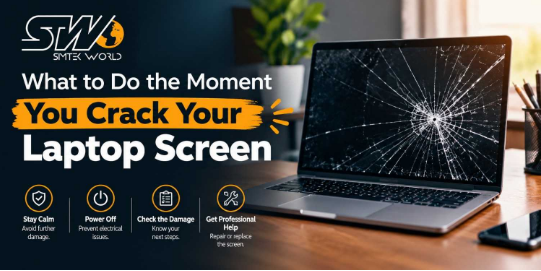
You shut the lid on a pen, or your bag slides off a chair, and suddenly there’s a spiderweb across the display. It’s a horrible feeling, but take a breath. Getting a broken laptop screen repaired in Cardiff is something local shops handle every week, and the problem is almost always fixable. What you do in the first few minutes does matter, though.
Stay Safe Before You Think About Repair
Start with your hands. Cracked glass is sharper than it looks, and tiny splinters can sit inside a hairline fracture.
Switch Off and Leave the Crack Alone
Shut the laptop down properly and unplug the charger. Resist the urge to press on the crack to see how bad it is. Pressure can spread the damage and push liquid out of the panel, which is what causes those black patches.
Protect Your Hands and Cover Loose Glass
Hold the laptop by its edges and keep your face away from the screen. If you spot loose fragments, wipe them off with a damp paper towel instead of your fingers. And if glass is flaking away, cover the crack with clear tape. That’s only a stopgap, but it keeps shards out of your skin until a professional can look at it.
Save Your Files First
A screen can be swapped, but your photos, work documents, and uni assignments might be gone for good. If the laptop still boots, copy everything important to an external drive or a cloud account. The UK’s National Cyber Security Centre advises backing up anything you value, either online or to removable storage. When the display is too damaged to read, connect an external monitor through HDMI or USB-C. Your files will normally show up on it without any trouble.
Is Fixing a Broken Laptop Screen in Cardiff Worth It?
Usually, yes. Repairing a broken laptop screen in Cardiff tends to cost far less than buying a new machine, and the gap is biggest if your laptop is fairly recent. The final price depends on the make, screen size, resolution, and whether the display is touch-enabled. There’s also an environmental side. According to the Scottish Environment Protection Agency, waste electricals are among the fastest-growing waste streams in the UK, growing roughly three times faster than ordinary household rubbish. Repairing instead of binning saves you money and keeps one more device out of the landfill.
Check Your Warranty and Insurance
Before you pay anyone, look at what cover you already have. Plenty of home contents policies include accidental damage if you tick that option, and some manufacturers sell their own accidental damage plans. Don’t lean on the Consumer Rights Act, though. As the House of Commons Library explains, it lets you reject faulty goods within 30 days for a full refund, but a crack from a knock isn’t a fault. Pull out your policy and read the small print.
Mistakes That Make the Repair Cost More
A few well-meant mistakes can turn a cheap job into an expensive one. Don’t carry on using the laptop for weeks, because cracks keep spreading and glass can drop into the keyboard. Don’t try to peel off the broken glass, since you’ll probably cut yourself and harm the panel underneath. Pressing hard on the crack to “fix” it never works. Buying the cheapest part you can find online is risky too, as screens differ from model to model, and a wrong fit costs you time and money. And unless you’ve done it before, leave the case closed. The ribbon cables inside snap very easily.
How to Pick a Good Repairer
Choosing the right repairer matters as much as the repair. A good shop gives you a clear quote before any work begins, tells you whether you need a full new panel or something simpler, and tests the laptop properly once it’s done. It should also treat your data with respect and keep its nose out of your files. Ask how long the job will take. Many screen swaps are quick once the part is on the bench, though some models need the panel ordered first.
Keep Your Next Screen Safe
You can’t prevent every accident, but small habits cut the risk. Keep the laptop in a padded sleeve or a proper bag. Check the keyboard for pens, chargers, or earbuds before you close the lid. Carry it by the base, never by the screen, and keep drinks well away from where you work.
Your Next Step Is Simpler Than You Think
The order is simple: power down, cover the glass, back up your files, and check your insurance. After that, a broken laptop screen in Cardiff doesn’t have to ruin your week. Get a quote from someone you trust, and you could be back to normal soon. If you’d like a friendly local team to take a look, STW Computers is happy to help.