



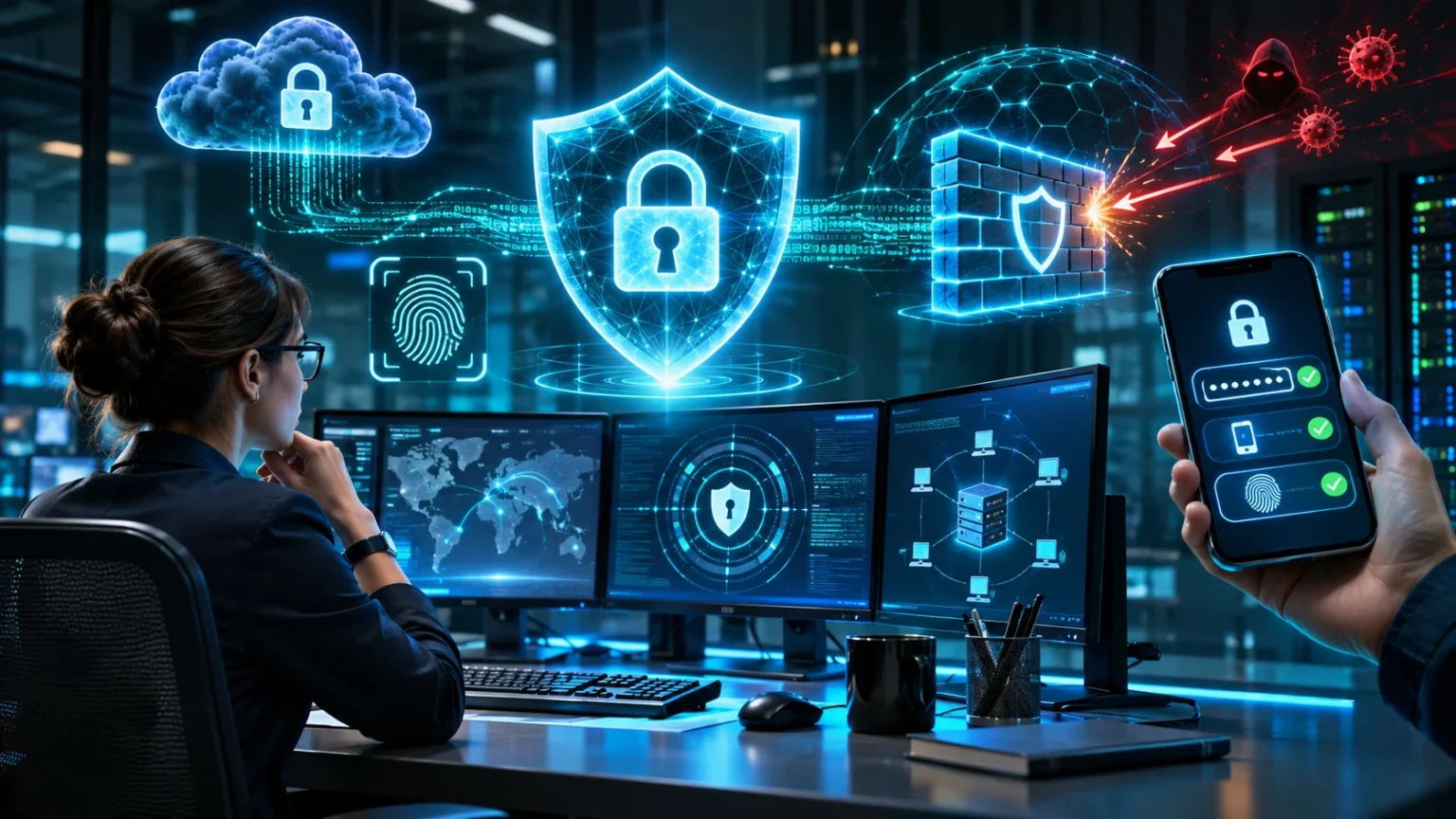
Information security protects valuable information from unauthorized access, misuse, damage, and loss. It helps individuals, businesses, and organizations keep sensitive data safe. From password protection to secure online payments, information security plays an important role in everyday digital activities.
Understanding real-world information security examples makes it easier to recognize threats and prevent common mistakes. These examples show how security measures protect personal details, business records, and confidential communications. They also explain why strong cybersecurity practices are necessary in today’s connected world.
What Is Information Security?
Information security is the practice of protecting information from unauthorized access, modification, disclosure, and destruction. It covers digital records, printed documents, and other forms of sensitive information. Organizations use different security controls to prevent data breaches and maintain customer trust. Effective information security combines technology, employee awareness, and clearly defined policies to reduce risks.
The three main principles of information security are confidentiality, integrity, and availability. Confidentiality ensures that only authorized people can access sensitive information. Integrity protects information from unauthorized changes and helps maintain its accuracy. Availability ensures that employees and customers can access important information whenever they legitimately need it for their activities.
For example, a hospital uses information security to protect patient records and medical histories. A bank applies security controls to protect customer accounts and financial transactions. Similarly, an online store protects payment information through encryption and secure systems. These everyday examples demonstrate how information security supports privacy, reliable operations, and business continuity.
Password Protection and Strong Authentication
Password protection is one of the most common information security examples in everyday life. Strong passwords make it harder for unauthorized individuals to access personal accounts or business systems. A secure password should be long, unique, and difficult to guess. Password managers help users create and store complex passwords without remembering every combination.
For example, an employee accessing company software may need to enter a password and confirm their identity through another verification method. This additional step is called multi-factor authentication, or MFA. It significantly reduces the risk of unauthorized access when passwords are compromised. Many organizations require MFA for email accounts, administrative systems, and remote access.
Authentication systems also use biometric verification, security keys, and authentication applications. These methods provide additional protection beyond traditional passwords. However, security depends on how each method is implemented and managed. Organizations should encourage strong authentication practices while regularly reviewing account permissions and suspicious login activity.
Data Encryption in Online Transactions
Data encryption protects information by converting readable content into a protected format. Only individuals or systems with the appropriate cryptographic keys can recover the original information. This process helps protect sensitive information during transmission and storage. Encryption is widely used in banking applications, messaging platforms, online shopping websites, and business communication systems.
Consider a customer purchasing a product from an online store. The website uses HTTPS to establish an encrypted connection between the customer’s browser and the server. This helps prevent outsiders from reading sensitive information while it travels across networks. Secure payment processing also relies on additional security controls to protect financial transactions.
Organizations also use encryption to protect stored files, databases, and employee devices. For example, full-disk encryption helps prevent unauthorized access to information on a lost laptop. Encryption alone cannot prevent every cyberattack, especially when attackers obtain legitimate account access. Therefore, businesses combine encryption with authentication, access controls, and monitoring.
Firewalls and Network Security
A firewall is a security system that monitors and controls network traffic according to predefined rules. It helps prevent unwanted connections between trusted systems and external networks. Firewalls can protect individual computers, company networks, and cloud environments. They form an important part of network security by limiting unnecessary access to sensitive resources.
For example, a company may use a firewall to restrict incoming connections to its internal accounting system. Only approved network traffic is allowed to reach protected services. This reduces the number of opportunities attackers have to access business infrastructure. Firewalls can also help organizations control which applications and services communicate across different networks.
Modern network protection often includes intrusion detection systems, intrusion prevention systems, and network segmentation. These technologies identify suspicious behavior and help contain potential security threats. However, incorrectly configured rules can leave systems exposed or block legitimate activity. Regular reviews, security updates, and network monitoring help maintain reliable protection.
Email Security and Phishing Prevention
Email security protects users from malicious messages, fraudulent links, and dangerous attachments. Phishing attacks often imitate trusted organizations to convince people to reveal passwords or sensitive information. Attackers may create messages that appear to come from banks, delivery companies, or workplace administrators. Recognizing suspicious communication is an essential information security skill.
For example, an employee might receive an email requesting an urgent password reset through an unfamiliar website. A trained employee checks the sender’s address and visits the official service directly instead of clicking the link. Reporting the suspicious message allows the security team to investigate. This simple response may prevent account compromise and further attacks.
Organizations use spam filters, phishing detection systems, and email authentication technologies to reduce these risks. Employee awareness training also helps people recognize unusual requests and suspicious attachments. However, automated defenses cannot identify every fraudulent message. Combining technical protection with careful verification creates a stronger defense against email-based cyber threats.
Access Control and User Permissions
Access control determines who can view, modify, or manage specific information and systems. Organizations use permissions to limit access according to employee responsibilities. This approach follows the principle of least privilege, meaning people receive only the access necessary for their work. Proper access management reduces accidental exposure and unauthorized changes.
For example, a company’s human resources department may access employee salary records. However, employees from unrelated departments should not automatically receive the same permissions. Similarly, a customer service representative may view order details without accessing stored payment credentials. These restrictions help protect confidential information while supporting normal business activities.
Role-based access control allows organizations to assign permissions according to job responsibilities. Administrators can update access when employees change roles or leave the company. Regular permission reviews help identify unnecessary privileges and outdated accounts. Strong access management also requires secure authentication, activity monitoring, and procedures for handling exceptional access requests.
Data Backup and Disaster Recovery
Data backups create additional copies of important information to protect against accidental deletion, equipment failure, and certain cyber incidents. Organizations store backups in secure locations separate from their primary systems. Reliable backup strategies help reduce business disruption and support data recovery. However, backups must be protected against unauthorized access and unwanted modifications.
For example, a small business may experience a server failure that makes customer records temporarily unavailable. If recent backups exist, the company can restore its information and resume operations. Without usable backups, recovering lost business data may become difficult or impossible. This example highlights why regular backup schedules are essential.
A disaster recovery plan explains how an organization restores systems after major disruptions. Businesses should test backups regularly to confirm that information can be recovered successfully. Maintaining protected offline or isolated backup copies can also improve resilience against ransomware. Effective recovery planning considers restoration priorities, employee responsibilities, and acceptable downtime.
Antivirus Software and Endpoint Protection
Endpoint security protects devices such as laptops, smartphones, desktops, and company workstations. These devices often store sensitive information and connect to important business systems. Antivirus software helps detect and remove known malicious programs. More advanced endpoint protection systems monitor device activity to identify suspicious behavior and emerging security threats.
For example, an employee downloads an unexpected attachment containing malicious software. Endpoint protection may identify the threat and quarantine the file before it can cause damage. Security software can also alert administrators when unusual processes or unauthorized changes appear. These protections help organizations investigate potential incidents before they spread across connected systems.
However, antivirus software cannot guarantee complete protection against every cyber threat. Organizations should regularly update operating systems, applications, and security tools. Device encryption, access restrictions, and secure configuration settings provide additional protection. Combining these practices helps reduce the risk of malware infections, unauthorized access, and sensitive data exposure.
Cloud Information Security Examples
Cloud information security protects data, applications, and services hosted through cloud computing platforms. Businesses commonly use cloud storage for documents, customer records, and collaboration tools. These systems offer convenience, but incorrect security settings can expose sensitive information. Organizations must understand their responsibilities when using third-party cloud services.
For example, a marketing agency may store client documents in a cloud-based file-sharing platform. The agency can restrict folder permissions so only authorized team members access specific files. Encryption, multi-factor authentication, and activity logs provide additional safeguards. These protections help reduce accidental information sharing and unauthorized access to confidential materials.
Cloud security also involves secure configurations, vulnerability management, and continuous monitoring. Cloud providers and customers typically share responsibility for protecting systems and information. The exact responsibilities depend on the services being used. Regular security reviews help organizations identify exposed resources, excessive permissions, and other weaknesses in cloud environments.
Physical Security and Document Protection
Information security is not limited to computers and online systems. Physical security protects printed records, storage devices, offices, and equipment containing confidential information. Unauthorized physical access can lead to information theft or accidental exposure. Organizations therefore use locks, restricted areas, identification systems, and secure document disposal procedures.
For example, a law office may store confidential client documents inside locked cabinets. Only authorized employees can enter rooms containing sensitive records. Visitors may need identification and supervision before entering restricted areas. These physical security measures help prevent unauthorized individuals from viewing or removing important business information.
Organizations should also protect laptops, portable drives, and printed materials from theft or loss. Employees can reduce risks by locking workstations and storing confidential papers securely. Documents that are no longer needed should be destroyed according to approved retention policies. Combining physical safeguards with digital security creates more complete information protection.
Security Awareness Training in the Workplace
Security awareness training teaches employees how to identify threats and follow safe information-handling practices. Human mistakes can contribute to data breaches, account compromises, and accidental information sharing. Regular training helps employees recognize suspicious situations and understand their responsibilities. It also encourages a workplace culture where information protection becomes part of everyday activities.
For example, a company may conduct simulated phishing exercises to help employees recognize fraudulent messages. Staff members learn how to report suspicious emails without exposing confidential information. Training sessions can also explain password security, safe browsing, and proper document handling. Practical exercises make security concepts easier to understand and apply.
Effective security training should be understandable, relevant, and updated as threats change. Organizations can use short lessons, realistic scenarios, and regular reminders to reinforce important practices. Employees should also know how to report mistakes promptly without unnecessary fear. A supportive reporting process helps security teams respond faster and reduce potential damage.
Information Security in Healthcare Organizations
Healthcare organizations handle sensitive patient information, including medical histories, personal details, and treatment records. Protecting this data is essential for maintaining privacy and reliable medical services. Hospitals and clinics use security measures to prevent unauthorized access and accidental disclosure. These protections also help healthcare providers meet applicable privacy and data protection requirements.
For example, a hospital may allow doctors to access patient records needed for treatment. Administrative employees may receive limited access based on their responsibilities. Electronic health record systems can record access activity to support accountability. Authentication controls, encryption, and secure communication help protect information shared between authorized healthcare professionals.
Healthcare systems must also remain available during emergencies and routine medical operations. Organizations therefore maintain backups, monitor critical infrastructure, and prepare incident response procedures. Staff training helps reduce mistakes involving patient records and suspicious messages. These combined safeguards support patient privacy, service continuity, and confidence in healthcare information systems.
Information Security in Banking and Finance
Financial institutions protect sensitive information such as account details, transaction histories, and customer identities. Unauthorized access can cause financial losses, fraud, and serious privacy concerns. Banks use layered security controls to protect digital banking systems and payment services. These include authentication, encryption, transaction monitoring, and restricted access to internal information.
For example, a banking application may require additional verification when a customer signs in from an unfamiliar device. Automated monitoring systems may also flag transactions that differ significantly from normal account activity. Security teams can investigate suspicious events and apply appropriate safeguards. These measures help identify potential fraud while supporting legitimate financial activity.
Financial organizations also conduct security audits, vulnerability assessments, and employee training. Secure software development practices help reduce weaknesses in banking applications. However, no single security measure can eliminate every risk. Combining preventive controls, detection systems, and effective incident response strengthens financial information protection.
Incident Response and Security Monitoring
Incident response is the organized process of handling suspected or confirmed information security incidents. Organizations establish procedures to identify threats, limit damage, investigate events, and restore normal operations. An incident response plan helps employees understand what actions to take during unexpected security problems. Clear responsibilities can reduce confusion when quick decisions are necessary.
For example, a company may detect unusual login activity involving an employee account. Its security team investigates the event and determines whether unauthorized access occurred. Depending on the findings, the organization may revoke active sessions, reset credentials, and review affected systems. Prompt investigation helps prevent further compromise and supports appropriate recovery decisions.
Security monitoring tools collect information from devices, networks, applications, and authentication systems. Security teams review alerts to identify potentially harmful activities and emerging threats. After an incident, organizations should examine what happened and improve their protective measures. Continuous monitoring and practical response planning help businesses maintain stronger security over time.
Best Practices for Improving Information Security
Improving information security begins with understanding which information needs protection and what risks could affect it. Organizations should identify sensitive records, critical systems, and important business processes. Risk assessments help determine which security measures deserve the highest priority. This approach allows businesses to protect valuable resources without applying unnecessary controls everywhere.
Strong information security practices include multi-factor authentication, secure backups, encryption, and regular software updates. Organizations should also review user permissions and monitor suspicious system activity. Clear policies help employees understand acceptable information handling and reporting procedures. These everyday practices strengthen protection against common cybersecurity threats and accidental data exposure.
Information security requires continuous attention because technologies, business needs, and cyber threats change. Regular assessments help organizations discover outdated systems, weak configurations, and ineffective procedures. Working with qualified security professionals can provide additional expertise when needed. A consistent improvement process helps organizations protect information while maintaining operational efficiency and customer confidence.
Conclusion
Information security protects personal information, business records, and essential digital services from unauthorized access and other threats. The examples discussed above show how passwords, encryption, firewalls, backups, and access controls support everyday protection. Each measure addresses different risks, making layered security more effective than relying on a single solution.
Organizations of every size can benefit from practical information security measures. Small businesses may begin with strong authentication, secure backups, and employee awareness training. Larger organizations often require advanced monitoring, formal policies, and specialized security teams. The most appropriate safeguards depend on the information being protected and the risks involved.
Understanding information security examples makes cybersecurity easier to apply in real situations. Businesses and individuals can reduce risks by adopting sensible security habits and reviewing their protections regularly. Although no system is completely risk-free, consistent security practices improve resilience, protect sensitive information, and support long-term trust.
Frequently Asked Questions
What are five common examples of information security?
Five common information security examples are password protection, data encryption, firewalls, access controls, and secure data backups. These safeguards help protect confidential information, prevent unauthorized access, and support reliable business operations.
What are the three main principles of information security?
The three main principles are confidentiality, integrity, and availability. Confidentiality restricts unauthorized access, integrity maintains information accuracy, and availability ensures authorized users can access important data when needed.
What is an example of information security in everyday life?
Using multi-factor authentication to protect an email account is a common example. Other everyday examples include locking smartphones, using encrypted websites, updating software, and avoiding suspicious email attachments.
Why is information security important for businesses?
Information security helps businesses protect customer information, confidential documents, and critical systems. It reduces the risk of data breaches, financial losses, and operational disruption while supporting compliance and customer trust.
What is the difference between cybersecurity and information security?
Information security protects information in all forms, including digital files and printed records. Cybersecurity focuses on protecting digital systems, networks, devices, and information from cyber threats and attacks.