Social media rewards speed, but audiences still notice when content feels careless. Creators are expected to publish frequently, adapt to changing formats, and capture attention within seconds.
At the same time, repeating the same visual trends can make a channel lose its identity.
I began using AI video because I wanted to explore ideas more quickly without turning my content into a stream of automatic, interchangeable clips. The challenge was finding a workflow that supported experimentation while leaving the concept, tone, and final decisions in my hands.
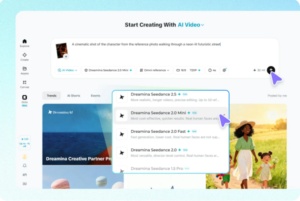
Seedance 2.0 became part of that workflow because it can combine prompts with visual, motion, and audio references. Instead of relying on the model to invent an entire post, I could give it materials that reflected my existing style and use generation to test a specific idea.
Beginning With the Hook, Not the Effect
When a new video tool appears, it is easy to begin with a visual effect and build content around it. I have found that this often produces a clip that looks interesting but says very little.
I now begin with the hook. It may be a question, a surprising visual change, a relatable problem, or a clear promise. The hook should connect to the audience and lead naturally into the rest of the video.
Once I know what the opening must accomplish, I decide how AI can help visualize it.
A dramatic camera movement may be appropriate, but only if it strengthens the idea. A simpler composition is often more effective when it makes the subject immediately understandable on a small screen.
Using References to Preserve a Personal Style
Generic output often results from generic direction. Prompts such as “make a cinematic viral video” give the model little information about the creator’s identity.
I use references to define elements that belong to my visual language. These may include:
- A recurring color palette
- A consistent character
- A recognizable type of lighting
- A particular editing rhythm
- A recurring environment or setting
A short clip can demonstrate the pace I prefer, while an audio reference can establish energy and timing.
The multimodal workflow in Seedance 2.0 makes these materials more useful because they can guide the same generation together. A character image can influence identity, a video can suggest motion, and a prompt can explain the specific social concept.
This does not guarantee originality by itself. The references must come from a thoughtful direction rather than a random collection of popular examples. The creator still needs to decide what makes the channel recognizable.
Planning for the Platform From the Start
A video designed for one platform does not always work when cropped for another. The subject may be cut off, captions can cover important details, and a slow opening may fail in a fast feed.
I choose the destination before generation.
For vertical content, I plan the position of the subject and leave space for interface elements and subtitles. For a horizontal post, I may use wider environmental storytelling. A square composition needs a different balance again.
I also consider whether the video will be watched without sound. Even when synchronized audio is available, the core action should remain understandable visually. For accessibility, creators can add subtitles to video content so the message remains clear when sound is off.
Captions or graphic text can be added later, after the generated scene has been approved.
Testing Several Openings Efficiently
The opening seconds often determine whether viewers continue watching. AI makes it possible to compare several hooks without rebuilding a complete video each time.
I keep the subject, setting, and message consistent, then vary only the opening action or camera position.
For example:
- One version may begin with a close-up
- Another may use a fast reveal
- A third may start with an unexpected environmental change
Because the other variables remain stable, I can judge which opening communicates the idea most clearly.
Seedance 2.0 is useful for these short-form experiments because it balances reference control with relatively flexible generation. It can also preserve recurring characters or objects across scenes, which helps a set of social posts feel connected rather than randomly styled.
Combining Visuals With Sound and Rhythm
Social video is often edited around music, speech, or sound effects. If sound is considered only at the end, an otherwise attractive clip may have awkward timing.
Audio references can guide the rhythm of generation and help connect movement with narration or music. This is useful for performance clips, product reveals, short comedy, and story-driven posts.
Visual and audio synchronization can reduce the amount of timing repair needed later.
I still treat the generated soundtrack or dialogue as something to review, not something automatically ready to publish. Volume, clarity, licensing, platform policies, and accessibility all need attention.
The benefit is that I can evaluate the audiovisual idea earlier in the process.
Moving Beyond Isolated Short Clips
Not every social story fits into a few seconds. Tutorials, mini-documentaries, product narratives, and character-based content often need more time to develop.
As creators move toward longer posts, continuity becomes more important.
Seedance 2.5 supports continuous generation of up to 30 seconds and accepts a larger collection of multimodal references. This makes it relevant when a creator wants to develop a complete social moment instead of stitching together several unrelated outputs.
A larger reference package can include:
- A script
- A storyboard
- Character sheets
- Example footage
- Audio references
- Style direction
The model has more context for maintaining the subject and visual tone throughout the sequence. Longer generation can also create a more natural beginning, development, and conclusion.
Controlling Movement With R2V References
Some social concepts depend on a precise movement: a dance, transformation, product interaction, or physical joke.
Written prompts may communicate the general action without capturing its timing and spatial path.
Reference-to-video control in Seedance 2.5 allows creators to use structured motion footage as guidance. A simple performance or green-screen recording can show how a character should move and interact with the frame.
This gives creators another way to contribute personal expression. Instead of asking the model to invent every gesture, they can provide the performance logic and use AI to develop the visual setting.
Editing One Problem Instead of Starting Again
Generating social content quickly does not feel efficient when every small error requires a complete restart.
One area of a clip may need correction while the hook, timing, and camera movement already work.
More precise local editing can help focus changes on the incorrect region while preserving the rest of the sequence. This is one of the more practical aspects of the newer workflow because it supports iteration rather than endless replacement.
For social creators, that could mean correcting an object, character detail, or background element without losing a successful performance.
The result still needs review, but the revision process becomes more intentional.
My Publishing Checklist
Before posting an AI-assisted social video, I review more than visual quality:
- Is the opening immediately understandable?
- Is the main idea clear even without sound?
- Does the pacing fit the platform?
- Are characters, objects, and visual identity consistent?
- Do physical movements and interactions look believable?
- Are captions readable and correctly positioned?
- Is the audio clear and appropriate for the platform?
- Are any factual or product claims accurate?
- Have relevant rights, consent, and disclosure requirements been considered?
If the video uses a recognizable person, protected material, or a realistic synthetic scenario, I pay particular attention to consent, rights, and appropriate disclosure.
Speed does not remove the creator’s responsibility for what appears on screen.
For people who want to experiment with image and video generation in a connected workspace, Dreamina may be a useful option, but the creator’s own review process is what keeps the content coherent and trustworthy.
Building Recognition Instead of Chasing Volume
AI makes it possible to create more variations than any audience needs. The temptation is to publish constantly simply because production has become faster.
I prefer to use the extra capacity for selection.
Several ideas can be tested privately, while only the strongest becomes a post. A recurring visual system can be developed gradually. Successful formats can be adapted without copying every trend that appears in the feed.
The result is not less human creativity. It is more opportunity to apply human judgment before publication.
AI video works best for social media when it helps creators explore, compare, and refine. A clear voice, consistent style, and respect for the audience remain more valuable than any individual effect.