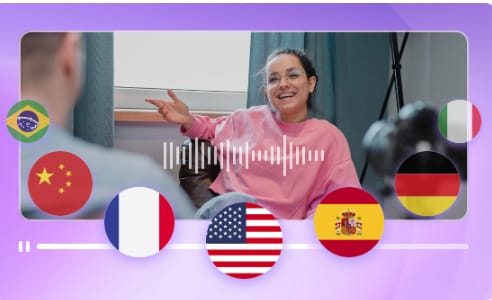
AI video creation has changed the way people make content. What once required cameras, microphones, editing software, and a lot of time can now be done inside a browser with simple prompts. One platform that stands out in this space is Vidnoz, an AI-powered toolset designed for quick, accessible video creation. Whether you want to turn text into video, translate your clips, or make characters lip sync automatically, Vidnoz has become a useful option for beginners and experienced creators alike.
In this review and guide, we’ll look at how these tools work, why they’re helpful, and how you can get started even if you’ve never edited a video before.
Why AI Video Creation Matters Today
Short-form video and social media content have pushed creators to produce faster while still keeping quality high. Many people now need videos for marketing, tutorials, product demos, or personal projects—but not everyone has the time or skill to edit manually.
This is where platforms like Vidnoz help. Instead of recording yourself or hiring professionals, the AI handles tasks such as:
- turning text into narrated video
- syncing animated characters to audio
- translating and generating subtitles
- transforming photos into fun dancing clips
- creating tutorials or announcements automatically
Anyone who wants to create videos for TikTok, YouTube, websites, or internal work training can save both time and money.
Using Lip Sync AI for Faster Video Production
One standout feature on Vidnoz is its lip sync AI tool. It takes a static image, video, or character and syncs mouth movements to your uploaded audio or text. Instead of doing manual animation or ADR work, the AI matches lip motion with your speech in seconds.
This can be helpful for:
- short explainer clips
- music or parody videos
- animated spokesperson content
- social posts
- character-based storytelling
For marketers, it’s an easy way to produce spokesperson-style videos without appearing on camera. For entertainment creators, it lets you add dynamic motion to characters or still images.
The tool is simple: upload an image or select a preset, add your audio or enter text for the AI voice, and the system generates a video where the character speaks naturally. It’s one of the quickest ways to build talking-style content without filming anything.
Creating Videos With an AI Text to Video Generator (Free Option)
If you want to turn ideas into video without recording anything, the AI text to video generator free tool is one of the most useful parts of the Vidnoz platform. Instead of designing scenes manually, you write a script or an outline. The AI then builds a complete video with visuals, voiceover, timing, and transitions.
This tool is ideal for:
- tutorials
- presentations
- product walkthroughs
- social ads
- educational explainers
- quick announcements
It also includes a library of templates, stock media, voice options, and on-screen widgets so you can customize your final video without needing editing experience.
The workflow is beginner-friendly:
- Enter your script or paste text.
- Choose a layout or template.
- Pick a voice style and pacing.
- Make small edits if needed.
- Export your finished video.
The free version is useful for short videos or project drafts, and the paid options open up longer exports and more customization.
Other Useful Built-In Tools
Alongside lip sync and text-to-video options, Vidnoz includes smaller widgets that make video creation more fun and flexible:
- Photo Dance: Turn a still photo into a short dancing animation.
- Video Translator: Translate spoken content, add subtitles, and generate new audio in different languages.
- Avatar Generator: Create talking avatars for presentations or tutorials.
- AI Audio Tools: Convert text to speech, clean up audio, or generate new voiceovers.
These are especially helpful for people who want fast results without juggling multiple software tools.
Who Benefits Most From These AI Creation Tools?
Vidnoz’s tools fit a wide range of users:
- Solo creators who want fast content without filming.
- Businesses and marketers who need training clips, ads, or product demos.
- Teachers and online educators making lessons or visual explanations.
- Social media managers creating short, engaging posts daily.
- Brands in global markets needing quick translation and localization.
The platform removes technical barriers, making video creation accessible even for users with zero editing experience.
Tips to Get Better Results
Although the tools are simple, a few practices help improve the final output:
- Write clear scripts. Shorter sentences and direct language work best for AI narration.
- Use high-quality images. Sharper photos improve lip sync and animation accuracy.
- Adjust pacing. Preview the voice and tune the speed so it matches your content style.
- Experiment with templates. A layout can change the feel of the video quickly.
- Start small. Try short clips before building longer videos.
These small steps can make the final video smoother and more engaging.
Final Thoughts
AI video creation is becoming a normal part of content production, and Vidnoz is one of the more practical tools available today. With features like lip sync AI, the AI text to video generator free, built-in widgets, and easy editing tools, it offers a complete workflow that’s fast and accessible.
For anyone looking to produce videos without spending time on complex editing software, it’s a useful platform to explore. You can experiment with images, text, audio, translations, avatars, and more—all from a browser, all without needing professional equipment.