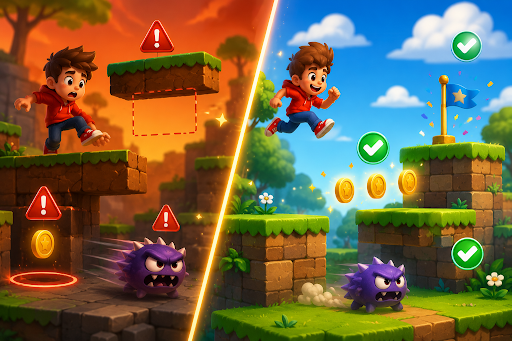
Game mechanics are the rules that make your game work, such as how jumping feels, how items interact, or how enemies move. When these rules break, players get stuck, lose progress unfairly, or run into actions that no longer make sense.
In games that generate new content on the fly, broken mechanics show up more often, since the system sometimes creates situations the original rules never planned for. A jump that lets players clip through walls, an enemy that moves too fast to avoid, or a scoring system that stops counting points can ruin an otherwise solid game.
The good news is that most broken mechanics can be fixed quickly once you know where to look and how to describe the changes you need. This guide walks you through clear steps to find problems, understand why they happen, and repair them so your game plays smoothly and feels fair again.
Why Mechanics Break in Generated Games
AI generated games build new levels, objects, and situations every time, which can create unexpected combinations. A rule that works perfectly in one hand made level may fail when the system places objects in a different order or adds extra elements. A platform meant to be solid might end up floating too high or too low after generation.
Other common causes include rules that are too loose, missing checks for edge cases, or changes in one part of the game that accidentally affect another part. Over time, small inconsistencies build up into noticeable problems. Players notice these issues fast, and they tend to stop playing if the game feels unreliable. Catching and fixing broken mechanics early keeps the experience fun and prevents negative feedback after release.
Spotting Broken Mechanics During Play
The first step is to play your game as a regular player would, not as the creator. Go through different generated areas and try both normal and unusual actions. Jump in every possible way, push objects into tight spaces, and try to break the intended path on purpose.
Pay attention to moments when something feels wrong. Does the character stop moving for no reason? Do collectibles disappear without adding to the score? Do enemies behave differently in one area compared to another?
Write down exactly what happened, where it happened, and what you were doing at the time. Test the same section multiple times with different generated versions, since problems that appear only sometimes are often the hardest to catch but also the most important to fix. Fresh eyes from friends or family can help spot issues you have grown used to ignoring.
4 Common Broken Mechanics and Quick Fixes
- Movement and Collision Issues. When characters pass through walls or get stuck on edges, describe stronger solid boundaries and clearer collision rules so objects stop properly when they touch.
- Progression and Scoring Problems. If points stop counting or levels do not end correctly, restate the exact conditions for winning or gaining rewards and make sure the game checks them every time.
- Enemy or Obstacle Behavior. When enemies move too fast, too slowly, or ignore the player, adjust their speed, path rules, and reaction times so they feel challenging but fair.
- Item Interaction Failures. When merging, collecting, or using items does not work as expected, clarify what should happen on contact and add checks to prevent items from overlapping or disappearing incorrectly.
Fix one problem at a time and test immediately after each change. Small, precise descriptions usually correct the issue without affecting other parts of the game.
Testing Mechanics Across Generated Content
Because content changes with each play, you need to test mechanics across many different sessions. Create several new playthroughs and check that the same rules apply everywhere. A jump distance that works in one level might fail in another if the generated platforms have different spacing.
Focus on core actions first, including movement, jumping, collecting, and completing the main goal. Then test secondary features like pushing boxes, activating switches, or avoiding moving hazards. Try extreme cases too, such as filling the screen with objects or playing for a very long time. Keep a short list of test scenarios that cover normal play, difficult situations, and possible mistakes players might make, and run through this list after any major change.
Adjusting Rules for Consistency
Write clear, simple rules that the generation system can follow every time. Instead of saying a platform is solid, describe exactly what should happen when the player lands on it from any direction. Use consistent measurements for speeds, distances, and sizes so generated objects behave predictably.
When a rule works in most cases but fails in a few, add a small safety check. For example, if a falling object sometimes clips through the ground, add a quick correction that gently places it on the surface if it ends up slightly below. These safety nets prevent rare but frustrating breaks without making the game feel artificial. Review your rules after adding new features, since new content can interact with old rules in unexpected ways.
Balancing Difficulty After Fixes
After repairing broken mechanics, check that the game still feels fun and fair. A fix that stops cheating might also make the game too hard or too easy. Play through several generated levels and adjust values slightly until the challenge feels right.
Make early sections easier so new players learn the mechanics without frustration, then gradually increase difficulty by changing speeds, spacing, or the number of obstacles. The goal is steady progress with occasional satisfying challenges rather than sudden, impossible spikes. Test with both skilled and beginner players, since their different experiences help you find the sweet spot where most people can succeed with practice but still feel a sense of achievement.
4 Steps for Reliable Mechanics
- Observe and Document. Play carefully and write clear notes about exactly what is broken and when it happens.
- Describe the Desired Behavior. Tell the tool in plain words how the mechanic should work in every common situation.
- Test in Multiple Scenarios. Check the fix across different generated levels and play styles to ensure consistency.
- Balance and Polish. Adjust numbers for speed, size, or timing until the mechanic feels natural and enjoyable.
Using Feedback to Guide Improvements
Real player comments are extremely valuable for finding broken mechanics. Ask testers to describe any moment when the game felt unfair, confusing, or broken, and look for repeated complaints about the same action or area. If several people mention that jumping feels inconsistent, focus your efforts there first.
Use their words to create better descriptions for the fixes. After applying changes, ask the same testers to try again and confirm whether the problem is truly solved. Keep a running list of fixed issues and retest them occasionally as the game grows, since newly generated content can sometimes reintroduce old problems.
See It Done Right
Playing a well tuned game can help you understand how smooth and reliable mechanics should feel. Try Garden Gulp, where simple actions like moving and collecting work consistently across many different generated garden layouts.
Preventing Future Broken Mechanics
Build good habits to reduce the number of problems that appear later. Test new features immediately in several generated environments rather than assuming they will work. Keep rules simple and well documented so you can update them easily when needed.
When adding new content types, check how they interact with existing mechanics right away, and set limits on complexity so the generation system does not create situations that break your rules. Regular testing and small incremental changes keep mechanics stable as the project grows.
Final Thoughts
Fixing broken mechanics in AI generated games starts with careful observation, clear descriptions of the desired behavior, thorough testing across different content, and final balancing for fun and fairness. By focusing on the four common problems and four key repair steps, you can restore trust in your game and make every play session enjoyable.
Whether you build your games with Astrocade or other easy tools, these practical methods help you maintain reliable gameplay even when content changes with each session. Players will appreciate a game that feels consistent and fair, which leads to longer play times and better recommendations.
Start today by playing your game with fresh eyes and noting the first mechanics that feel off. Describe the fix clearly, test it across multiple generated levels, and adjust until it feels right.